Free times show up per professional. Aline has an opening at 3 PM to see Sabrina.
Spray tan
Facial cleansing
Body glow
Lymphatic drainage · session 2 of 4
Tan + brows
Pick a time by professional
For people who care for people
From the first booking to the last appointment. Organize your team, follow every client and make more room to care.

01 / From booking to care
Follow Sabrina’s visit from booking to payment, and see how the team handles every step.
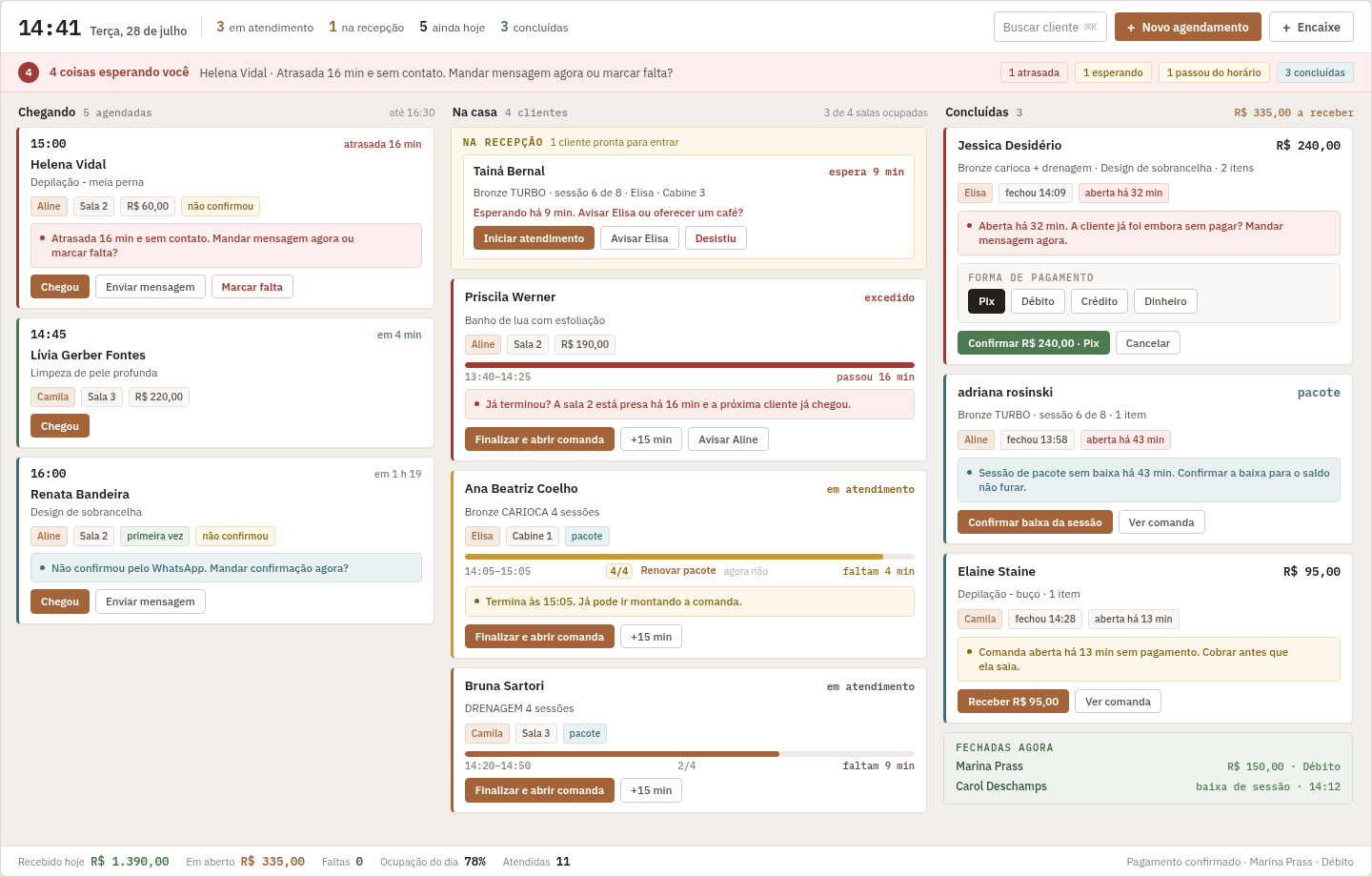
See who is arriving, who is being seen and who is done. The whole front desk in one place.
Free times show up per professional. Aline has an opening at 3 PM to see Sabrina.
Spray tan
Facial cleansing
Body glow
Lymphatic drainage · session 2 of 4
Tan + brows
Pick a time by professional
Services, duration, professional and room. All in the same booking, before you save.
Spray tan
Facial cleansing
Body glow
Lymphatic drainage · session 2 of 4
Tan + brows
One time slot, every detail
Sabrina appears under Arriving. The front desk already knows who is coming and who still has to confirm.
Body glow with exfoliation · Brow design
Hasn’t confirmed on WhatsApp. Send a confirmation now?
Spray tan
Body glow
Lymphatic drainage · session 2 of 4
Tan + brows
The confirmation goes out from your place’s WhatsApp. The send is logged for the team to follow.
Body glow with exfoliation · Brow design
Hasn’t confirmed on WhatsApp. Send a confirmation now?
Spray tan
Body glow
Lymphatic drainage · session 2 of 4
Tan + brows
The client’s reply shows up on the booking. Less digging through chats, more clarity in the day.
Body glow with exfoliation · Brow design
Spray tan
Body glow
Lymphatic drainage · session 2 of 4
Tan + brows
Other clients arrive, finish and pay. The board keeps each one in the right spot.
Body glow with exfoliation · Brow design
Spray tan
Body glow
Lymphatic drainage · session 2 of 4
Tan + brows
Sabrina moves to In house. The front desk logs the arrival, and Aline can get ready.
Facial cleansing
Brow design
Body glow with exfoliation · Brow design
Client is at the front desk. Aline can start the service.
Body glow
Lymphatic drainage · session 2 of 4
The service begins. The room and the expected time stay visible to whoever plans the next slot.
Facial cleansing
Brow design
Body glow with exfoliation · Brow design
Body glow
Lymphatic drainage · session 2 of 4
Things keep moving around her, without losing sight of Sabrina’s visit or the team’s workload.
Brow design
Body glow with exfoliation · Brow design
Spray tan
Body glow
As the end approaches, the front desk gets ahead to close the tab and welcome the next client.
Brow design
Body glow with exfoliation · Brow design
Service is wrapping up. Get the tab ready?
Spray tan
Body glow
The services sit together on the tab. The team checks the amount and records the payment method.
Brow design
Facial cleansing
Body glow with exfoliation · Brow design
Check the services and record the payment on the tab.
Payment recorded, tab closed and history organized for the next visit.
Brow design
Facial cleansing
Body glow with exfoliation · Brow design
03 / One link, times in view
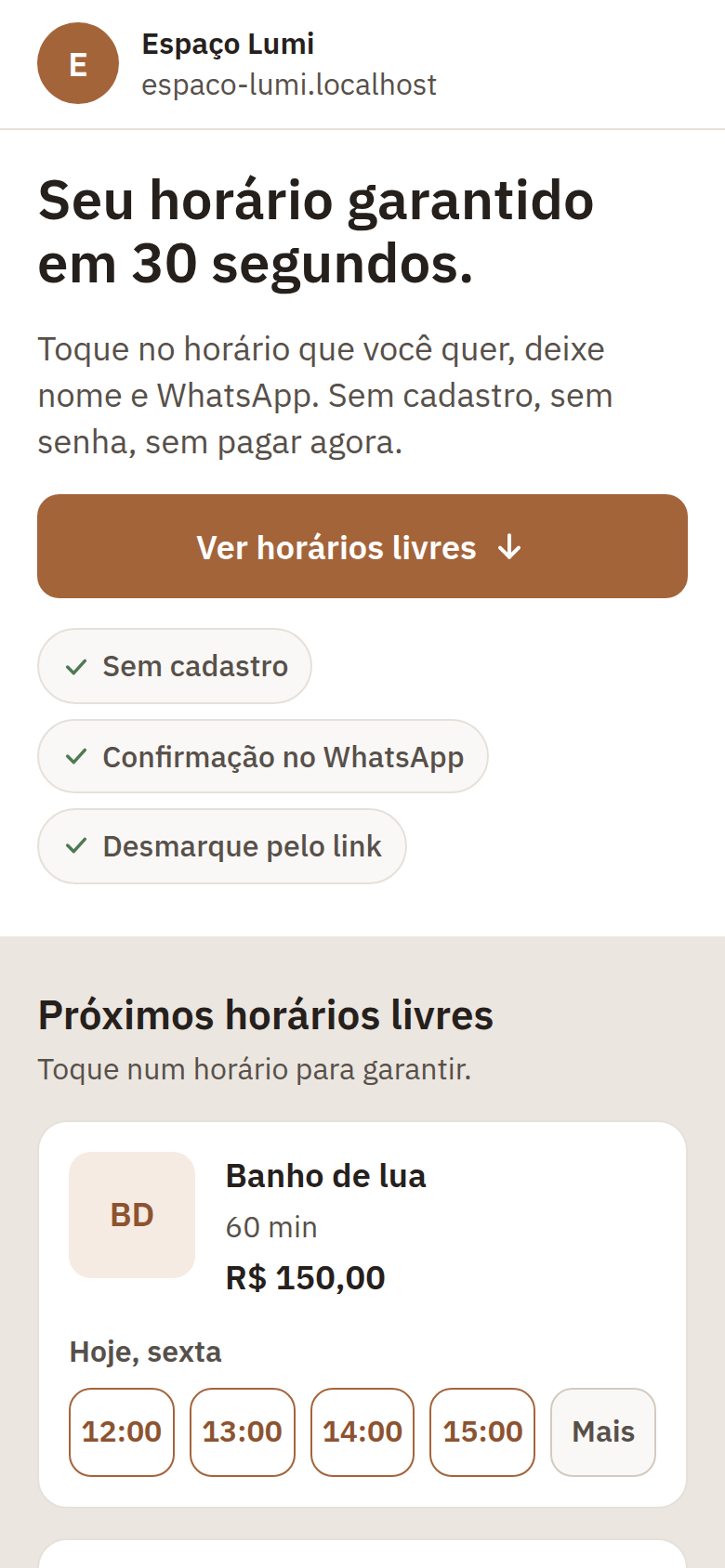
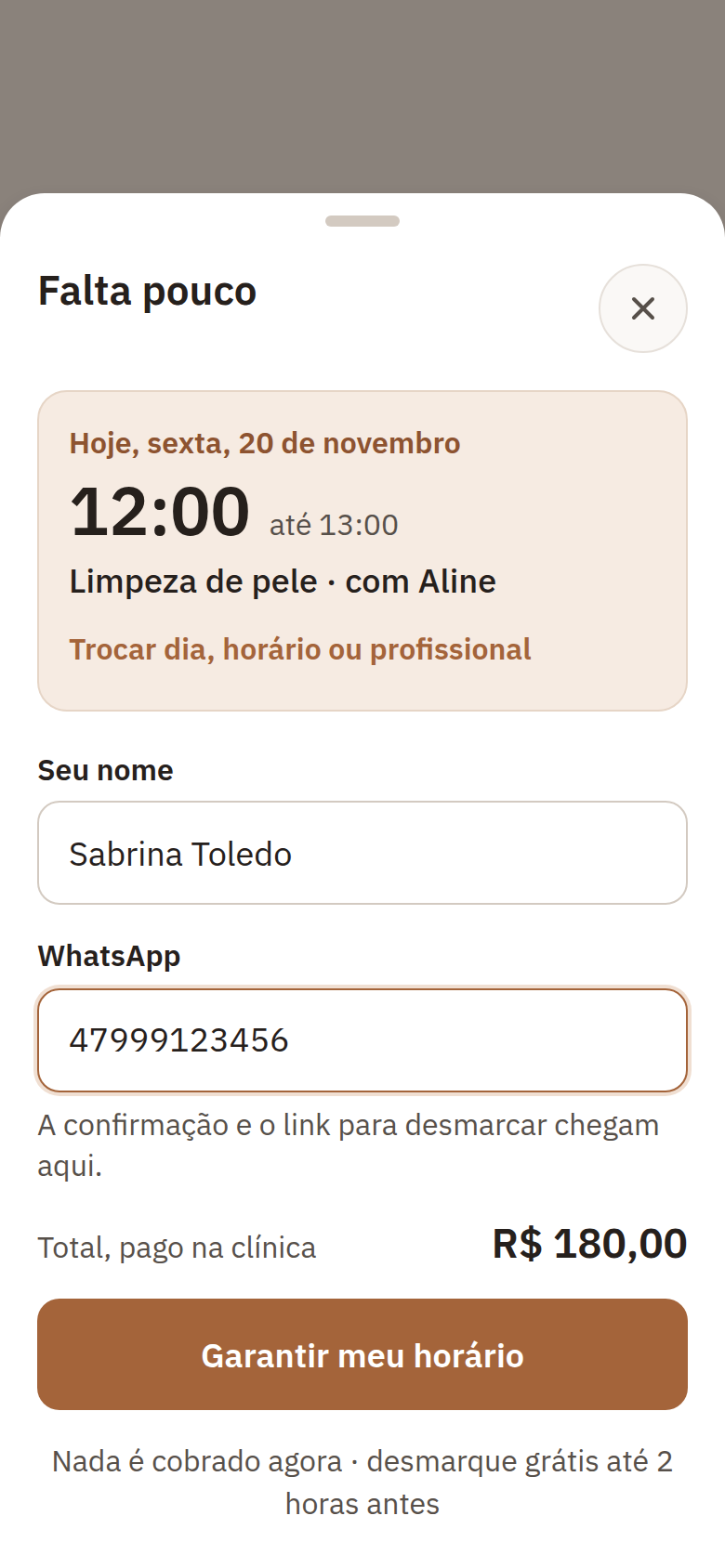
Your booking page opens on the next free times for each service. The client taps a time, enters her name and WhatsApp, and the booking lands straight in your schedule.
The next times for each service, right when the page opens.

Just a name and WhatsApp. No sign-up, no password.

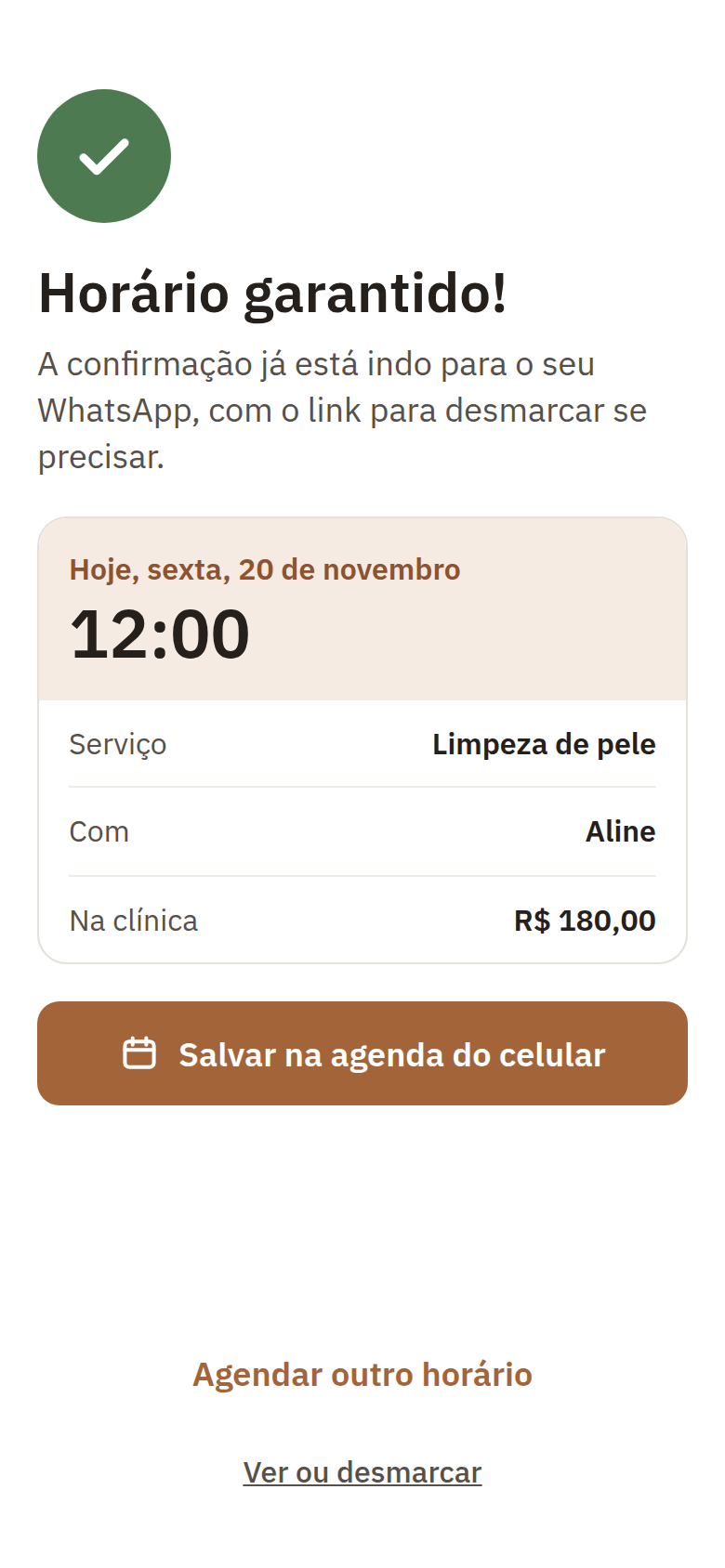
The confirmation arrives on WhatsApp, with a link to cancel.

Deposits are optional and paid by Pix, Brazil’s instant payment. When they are on, the time is held until the deposit is paid.
04 / Clarity to decide
Follow the amounts charged, the tabs closed and the expenses. See how your business is doing with the same clarity as your schedule.
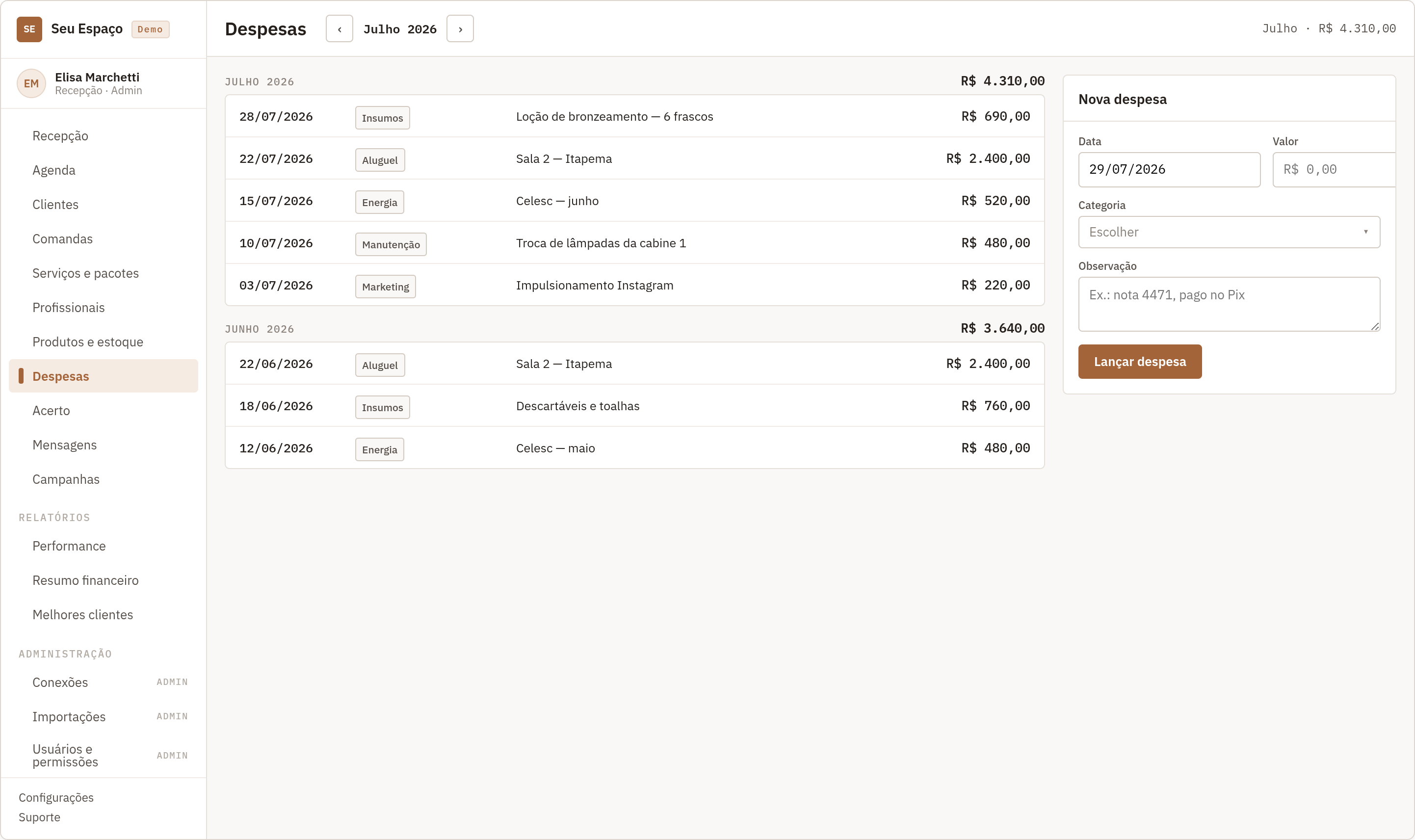
Organize expenses by month and category, from supplies to rent.
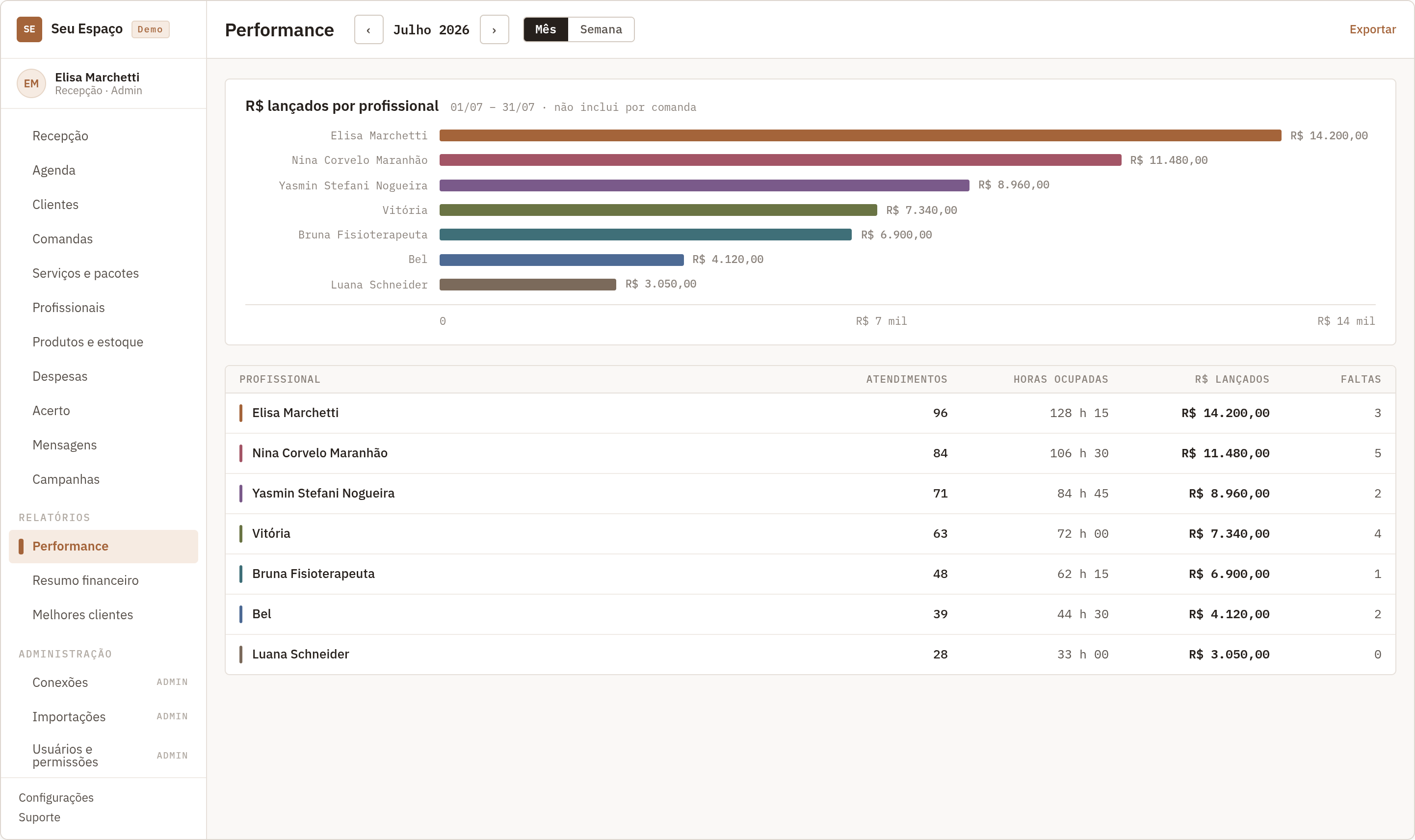
Compare appointments, booked hours and amounts charged per professional.
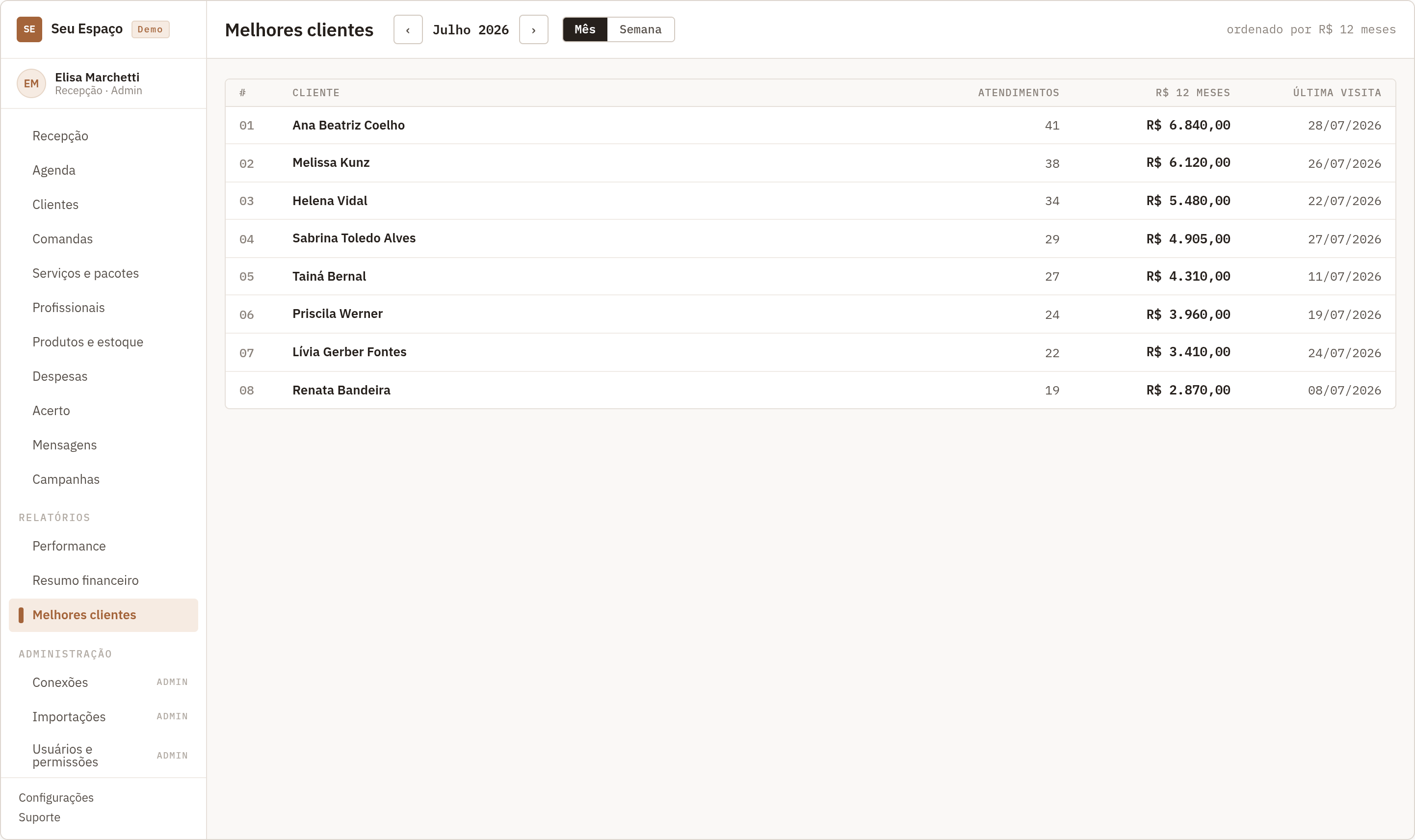
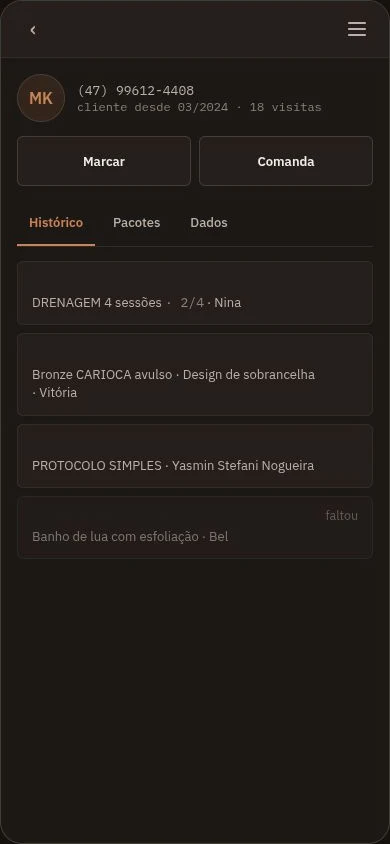
See your top clients, their visits and their last appointment.
05 / At your team’s pace
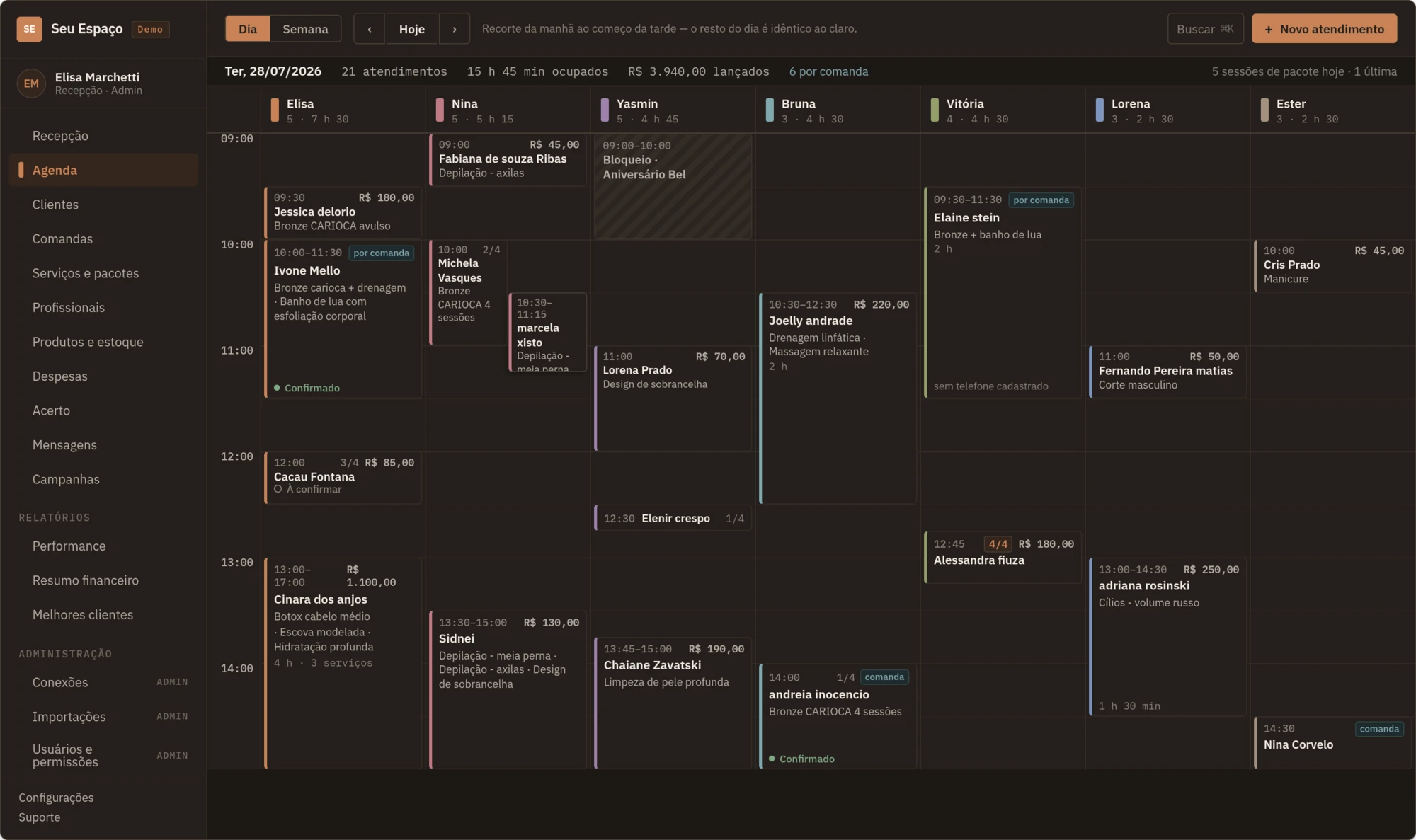
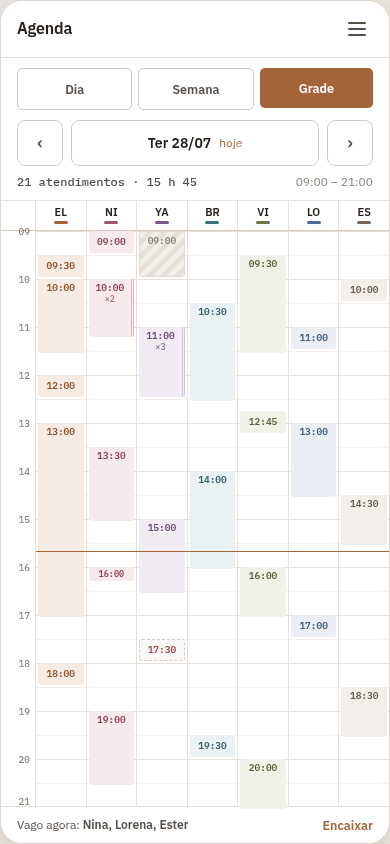
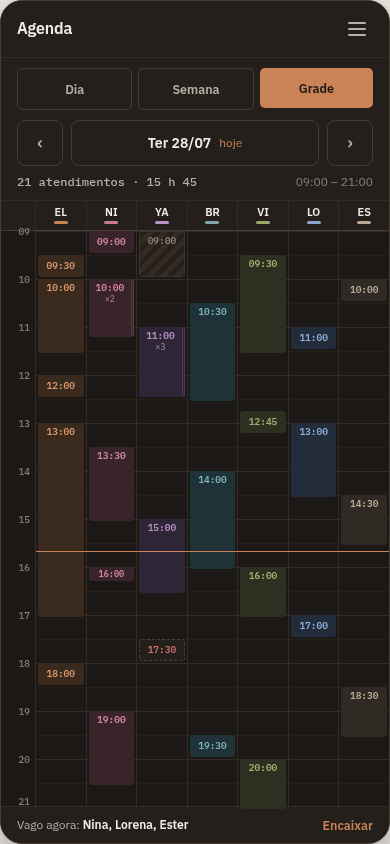
A wide view on the computer, a quick check on the tablet, the day in the palm of your hand. Everyone follows what they need, wherever they are.


The same day. Different ways to follow it.
Shall we get to know your place?
See the system from the inside, ask your questions and find out how it fits your team’s routine.
A demo shaped around your reality, no strings attached.
Before we talk
It is a great fit for multidisciplinary clinics that bring together professionals from different areas. It also serves aesthetic clinics and salons that want to organize their team, services and appointments. In the demo, we talk about your team’s routine and what makes sense for your place.
You use it in the browser, on a computer, tablet or phone, with an internet connection. The front desk can use the wide screen while professionals check their times on their phones.
Your place gets its own link. The page opens on the next free times: the client taps one, enters her name and WhatsApp, and confirms. You choose the services offered, the availability rules and, if you like, a deposit.
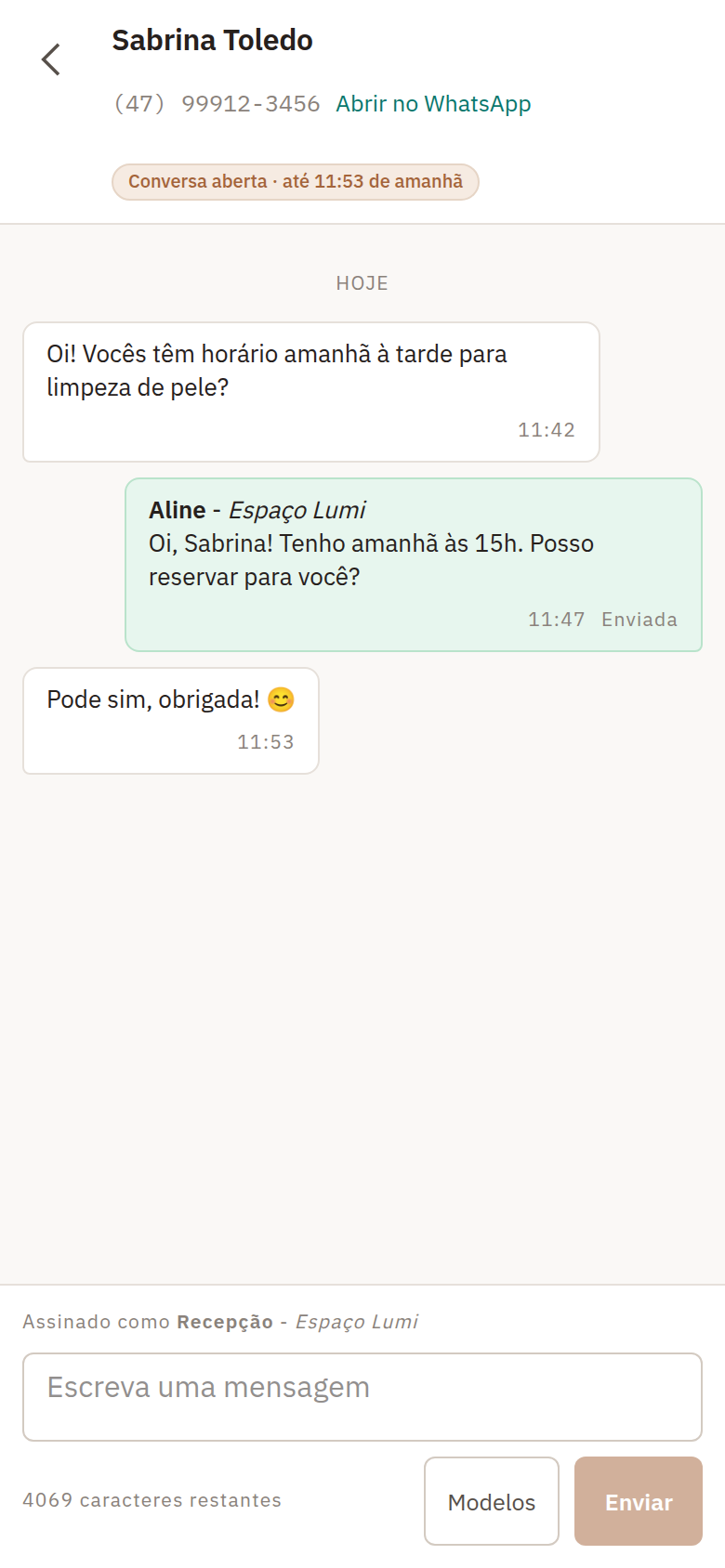
Yes. Confirmations and reminders go out automatically, and the team chats with the client right from the schedule, with every reply signed. To send, connect your place’s number. Outside WhatsApp’s 24-hour window, the conversation uses approved templates. In the demo, we show you how to set it up.
You decide what each person can access. The front desk can follow the whole team’s schedule, and each professional can see only their own times and the tools they need.
We can help you bring your data over. First, we look at the files your current system can export. Then we agree on what can be imported and how to make the switch.
You can also organize clients, services, packages, tabs, products and expenses, and check reports. In the demo, we show what fits your routine and how to use each feature.
Let’s talk about your team and what you need to organize. From there, we share the pricing and explain how to get started. You can take your time with your questions before deciding.